
 +1 323 641 4417
 +44 740 327 9473
 +61 488 853 632
 +91 852 710 0131
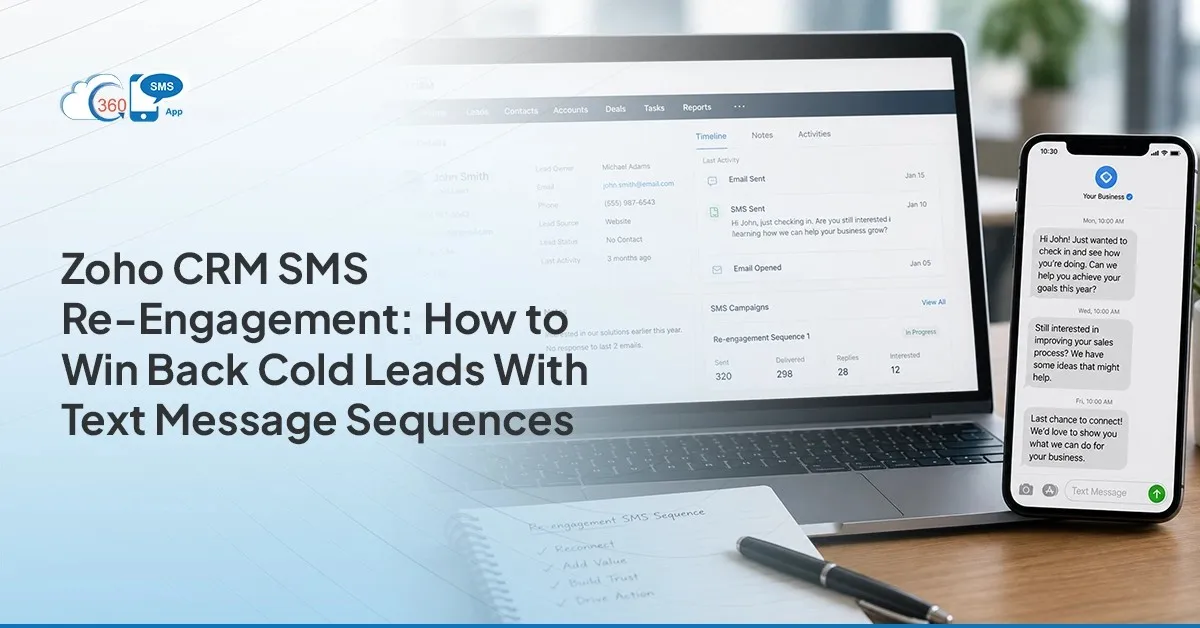 Two months. That’s how long some of your leads in Zoho CRM have gone without opening a single email. Not dead, though. Just quiet, and email simply isn’t getting through anymore. That’s the gap an SMS app for Zoho CRM was built to close. Texting skips the inbox entirely and lands somewhere people actually check. This isn’t about blasting cold leads with offers. It’s about a short, structured sequence that gives them an easy way back in or an easy way to say no. Either outcome cleans up your pipeline. Both beat silence.
Table of Contents
Why Cold Leads in Zoho CRM Stop Responding to Email
Here’s what usually happens. A lead gets nurtured hard for a few weeks three, four, five emails and then nothing. Not because they lost interest necessarily. Inbox fatigue is real, and a lot of CRM-generated email lands straight in Promotions or gets filtered before a human ever sees it.
Some leads changed how they want to be reached and never told anyone. Some just stopped opening anything from a sender they don’t immediately recognize. Either way, your email metrics start looking grim while the lead sits there, untouched, technically still “working.”
SMS sidesteps all of that. No spam folder routing. No promotions tab. A text shows up on a lock screen, gets read in seconds, and doesn’t require the lead to remember who you are from a subject line. That’s the entire case for re-engaging leads with Zoho CRM style sequences not because texting is flashy, but because it physically reaches a different channel than the one that already failed.
 Identifying Cold Leads in Zoho CRM: Building the Re-engagement Segment
 Identifying Cold Leads in Zoho CRM: Building the Re-engagement Segment
Before any message goes out, you need the right list. Loose targeting here just burns goodwill on leads who were never going to respond anyway.
Create a Zoho CRM List View that filters leads based on criteria such as Lead Status = Working or Contacted, Last Activity Time > 60 days, Do_Not_SMS ≠ true, and Mobile is not empty.
Save the List View once it’s built. Because List Views update dynamically as records meet the defined criteria, newly inactive leads can automatically appear in the segment over time. Review the audience regularly and use Zoho CRM workflows to trigger outreach when leads match your re-engagement criteria.
The Three-Message Re-engagement Sequence With Template Text
Three messages. That’s the whole sequence. Not ten, not a slow drip over six weeks three, spaced with intent, each one doing a different job.
Message 1 (Day 1) — short, personal, no pitch. Something like: “Hi [First Name], it’s [Your Name] from [Company]. We spoke about [Topic] a while back still on your radar?” That’s it. No link, no offer, no urgency. Just a human-sounding check-in that references something real from your CRM record.
If there’s no reply, Message 2 (Day 5) goes out. This one carries actual value a case study, a relevant update, something that gives the lead a reason to engage beyond “are you still interested?” Keep it short still. Nobody’s reading a paragraph in a text thread.
Then Message 3 (Day 10), if there’s still silence: “Happy to remove you from our list if the timing isn’t right just reply NO.”
And here’s the part that surprises people every time that third message gets replies. Genuinely, more than the first two combined in a lot of cases. Giving someone permission to opt out, instead of asking them to commit, removes the pressure. People reply “no” all the time. Some reply “actually yes.” Either way, the lead stops sitting in limbo, and your pipeline gets cleaner whether they come back or not.
Setting Up the Sequence in Zoho CRM and 360 SMS App
The mechanics matter less than getting the order right.
First, create the templates that will be used during your entire re-engagement campaign. Using the SMS template creation feature of 360 SMS App powered by AI, it is possible to create customized templates for different segments of leads. After creating the templates, use the features of Zoho CRM workflows and actions scheduling to automate the process of sending these messages.
Integrate it with Zoho CRM using the integration capability of Zoho CRM workflows and the cold-lead List View that you created earlier. Zoho Workflow Integration allows messages to be triggered automatically when leads meet specific CRM conditions or activity-based criteria.
Opt-outs matter here more than anywhere else in the sequence. 360 SMS App’s opt-in/opt-out management handles consent automatically when a lead replies NO or expresses interest in stopping, that updates the record, and future workflow-triggered outreach can be prevented once an opt-out is recorded. No separate suppression list to maintain.
360 SMS App’s compliance tools can help identify both keyword- and intent-based opt-out requests, ensuring future messaging aligns with customer preferences and compliance requirements.
For keeping the segment current, trigger-based automation does the heavy lifting workflow triggers and scheduled CRM automation can help identify newly inactive leads and automatically initiate the next stage of outreach. That’s automated SMS sequences, Zoho doing what it’s meant to do: less list-building, more actual outreach.
Handling Replies: Routing to the Right Rep in Zoho CRM
 Handling Replies: Routing to the Right Rep in Zoho CRM
The moment a cold lead replies, this stops being automation and becomes a live conversation. Speed matters here more than almost anywhere else in the funnel.
360 SMS App routes the incoming reply to whoever already owns that Lead in Zoho CRM. Automatically. Not whoever happens to be checking the inbox at that moment, the actual record owner. And the notification doesn’t arrive alone. It comes with the full conversation history already attached, pulled straight from the unified conversation view, so nobody’s starting cold. No digging through old email threads trying to remember context.
First-reply guidance, and this is worth saying plainly: acknowledge fast. Don’t let a re-engaged lead sit for two hours after they finally responded that’s the exact mistake that put them in this segment in the first place. Offer a short call or a quick demo. Ask one qualifying question, not five. The lead just came back from the dead, conversationally speaking. Don’t scare them off with a full discovery call disguised as a text reply.
Want help building reply-routing logic that actually matches your sales team’s structure? Talk to our experts they’ve set this up across plenty of different Zoho orgs.
Measuring Re-engagement Sequence Performance in Zoho CRM
None of this is worth running if you can’t see whether it’s working.
360 SMS App’s messaging analytics give you visibility into delivery, engagement, and response performance across your re-engagement efforts.
Pair that with link tracking on anything you send a portal link, a scheduling link and you get a second signal beyond replies alone. Someone who clicks but doesn’t reply yet is still a different category than someone who’s gone fully silent.
This way, the picture gets easier to act on every month: which leads moved, which didn’t, and which segment is worth running the sequence against again.
Wrapping Up
Cold leads aren’t lost leads. Most of them just stopped checking the channel you were using to reach them. A three-message sequence, run through an SMS app for Zoho CRM, gives every one of those leads a clean, low-pressure way back into a conversation and gives you a clean way to remove the ones who genuinely aren’t coming back. Either outcome is progress. A list that’s accurately cold beats one that’s quietly pretending to be active.