
 +1 323 641 4417
 +44 740 327 9473
 +61 488 853 632
 +91 852 710 0131
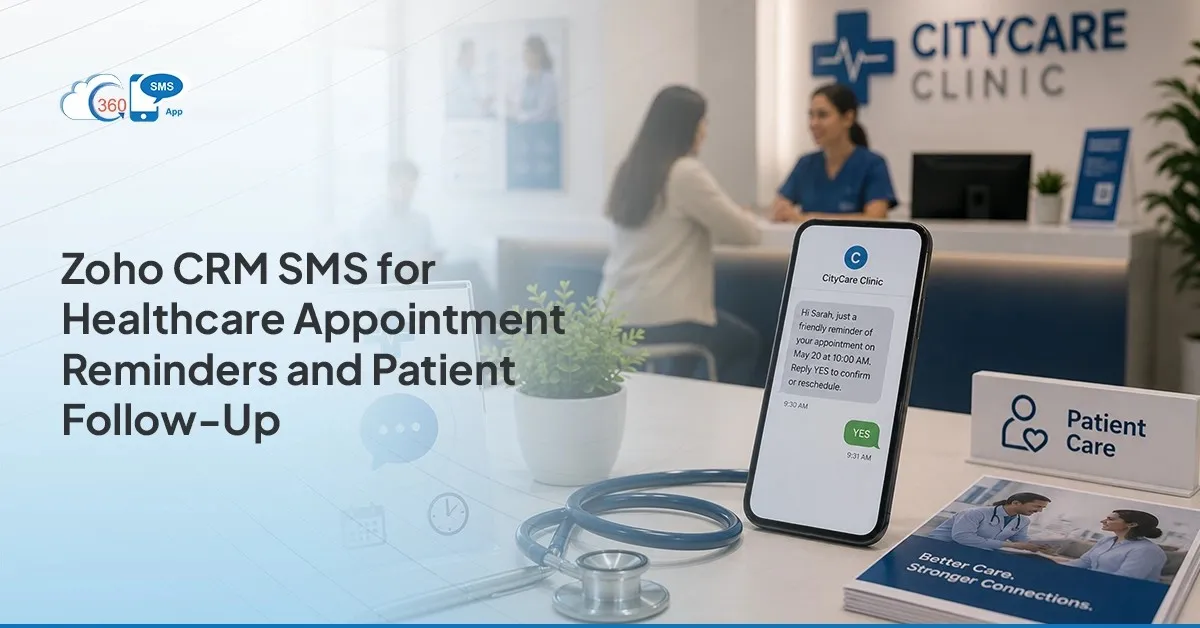 A patient misses their slot. The front desk shrugs and marks it as a no-show; the patient didn’t care, moving on. Except that’s usually wrong. Reminders arrive too early, too late, or land as a voicemail nobody has checked since 2019. Zoho CRM SMS for Healthcare exists to close that exact gap. Run reminders, confirmations, and follow-ups through 360 SMS for Zoho CRM, and something changes: the visits that used to just vanish start reappearing on the schedule, quietly, without anyone making a big announcement about it.
Table of Contents
The No-Show and Follow-Up Problem
Patients rarely skip a visit on purpose. Something in the reminder chain broke first.
A text sent a week early gets forgotten by Thursday. A voicemail sits unheard during a nine-hour shift. Someone scribbles “wants to reschedule” on a sticky note, and three other notes bury it before lunch. None of that is a patient problem. It’s a communication problem wearing a patient’s name.
Clinics that lean on phone calls end up chasing people instead of confirming them. Every unconfirmed slot becomes either dead air on the schedule or a rushed double-booking to cover the gap. Texting skips most of that mess. People open texts. Fast, within minutes usually, not the three days it takes a voicemail to get returned. That single switch, phone to text, tends to do more for no-show rates than another front desk hire ever would.
Checklist: Appointment Reminders and Confirmations
Not about sending more. About sending fewer appointment reminders that actually land at the right moment.
- First reminder 48 to 72 hours out, a shorter nudge the morning of
- Confirmation language kept dead simple: “Reply C to confirm, R to reschedule”
- Replies routed straight into the Zoho CRM record, zero manual copy-paste
- Rescheduling phrases (“can’t make it,” “need to move”) flagged for staff review
360 SMS for Zoho runs the scheduling piece natively, so these go out on a set cadence and nobody has to remember to trigger them by hand (which, let’s be honest, is exactly the kind of task that quietly stops happening after week three). Add AI-powered template creation and the front desk stops rewriting the same three sentences on a loop.
Checklist: Results-Ready and Safe Follow-Up Nudges
Clinics get nervous here. They should. The goal is a nudge, not a HIPAA incident report.
Safe versions read something like:
“Your visit summary is ready. Log into your patient portal to view it.”
“Time for your follow-up. Reply to book.”
A short prompt to finish pre-visit paperwork.
Never a diagnosis. Never a specific test result. Nothing that names a condition sitting in plain text on someone’s lock screen. Healthcare Text Messaging Zoho workflows hold up when the message points to a secure site and stops there. They fall apart the moment the text tries to carry the clinical weight itself.
Zoho CRM SMS earns its place in healthcare communication for the low-stakes stuff: reminders, confirmations, a safe nudge here and there, rescheduling questions. That’s the zone it’s built for. 360 SMS for Zoho CRM can support HIPAA-aligned workflows, sure, but the clinic still owns the harder part. What goes in the message body, how consent gets tracked, who’s watching the data handling, none of that runs on autopilot.
Checklist: Two-Way Questions and Rescheduling
A reminder alone isn’t enough. Patients want somewhere to reply.
Two-way SMS inside Zoho CRM for clinics means someone texts “reschedule” and staff sees it land right there in the conversation view. No second inbox to babysit. AI auto-reply suggestions hand front desk staff a starting point for the same five questions that come up every day, so replies go out quick without reading like a form letter. Incoming messages trigger real-time alerts, too, which matters a lot at 7:45pm when a patient is asking about tomorrow’s 8am slot and nobody’s watching email.
Related Record Owner Assignment routes the thread to whoever owns that record already. No hunting for who’s covering what.
Worth saying plainly: this isn’t a bot pretending to be a person. It’s staff, moving faster, seeing more.
Keeping a Complete, Careful Patient Record
The text thread needs to live where the rest of the history already lives. Not on someone’s personal phone, gone the day they change roles.
Two reasons. Continuity: the next staff member picking up the thread needs to see what was already said, not guess. Accountability: a patient claims they were never reminded, the message log settles it in ten seconds flat.
360 SMS for Zoho keeps that history attached to the record automatically. Delivery tracking and read status sit right there, no separate app, nothing to export at month-end. Clinics running multiple providers or locations get even more mileage here, since messaging maps to specific Zoho CRM modules instead of one flat inbox everyone digs through.
Careful record-keeping isn’t a box someone ticks during an audit once a year. It’s the reason the second visit feels as smooth as the first one did.
 Final Thoughts
 Final Thoughts
Not about texting everything. About texting the right things, at the right moment, with a hard line around what never makes it into a message body. Reminders, confirmations, rescheduling, general nudges: fine, send them. Diagnoses and clinical specifics: no, not ever, full stop.
Get that line right, and Zoho CRM SMS for Healthcare stops being a nice-to-have add-on bolted onto the front desk software. It becomes the layer quietly recovering the visits that used to just fall off the books, and nobody noticed until quarter-end.